How to track verified savings
Wiki: Improve concepts
When to use this
Someone acted on an insight, fixed a downtime cause, resolved a work item, and you want proof it actually helped, beyond a claim that it did.
Steps
- Click Improvement, then Verified Savings (
/ledger), after Historian.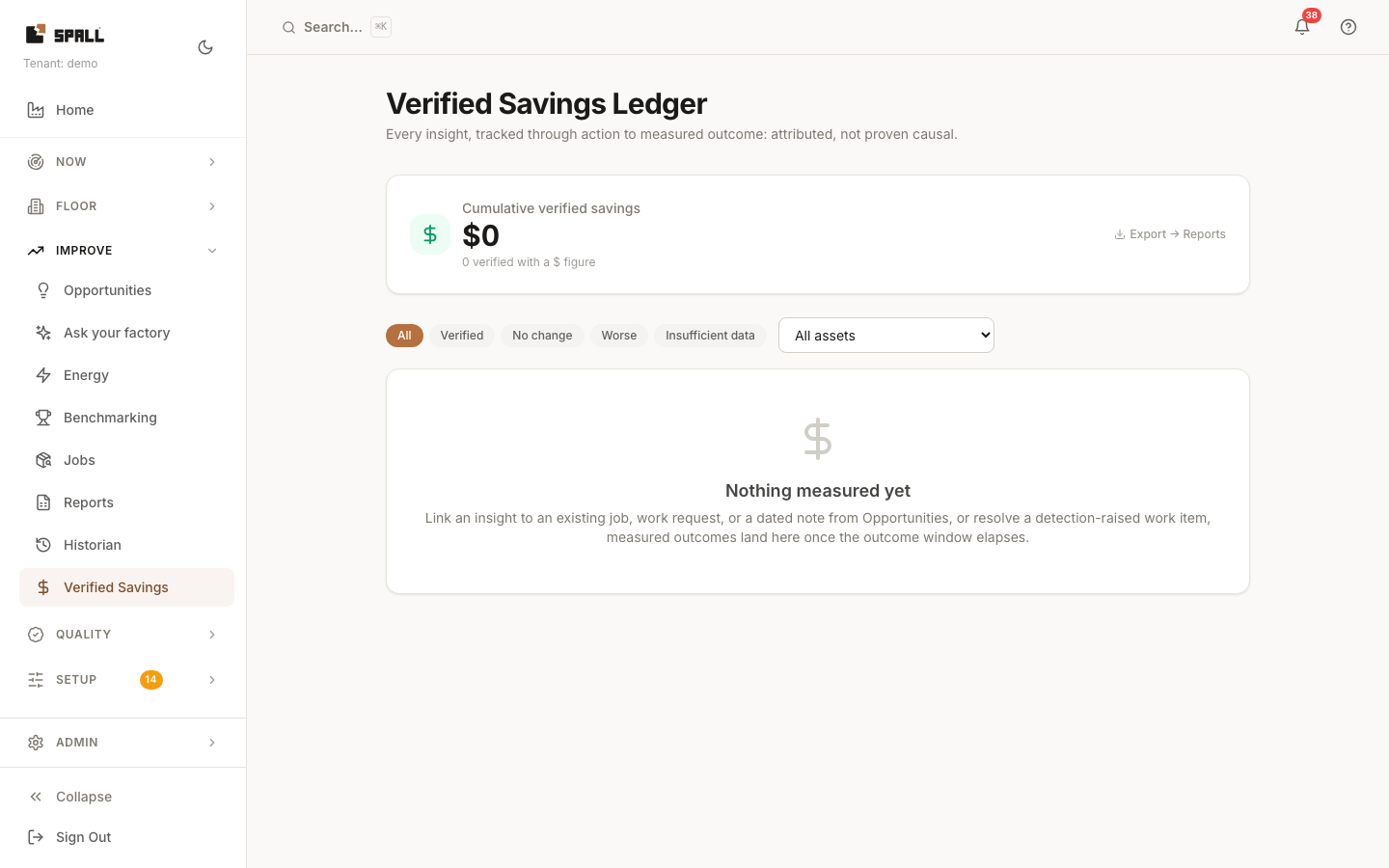
- From Opportunities, link an insight to the action taken on it, an existing job, a work request, or a dated note. Resolving a detection-raised work item (see Work Items) links automatically.
- Once the outcome window elapses, the Ledger measures what actually happened afterward and marks the entry Verified, No change, Worse, or Insufficient data, a measured outcome, never assumed success just because an action was taken.
- Filter by outcome or asset, and watch the running cumulative verified savings total at the top.
- Need it outside the app? Click Export → Reports, then run the Verified savings ledger export in the Exports library (see How to export CSVs and compare shift performance).
Notes
- The subtitle says it plainly: “attributed, not proven causal”, this tracks correlation between an action and a measured change, not a controlled experiment.
- While the outcome window is still open, the linked insight on Opportunities shows a Measuring badge with a line explaining when to expect the result, it hasn’t been forgotten, it just hasn’t had enough time yet.