How to ask your factory a question
Wiki: Improve concepts, Ask your factory
When to use this
You have a plain-language question about the factory and want a grounded answer instead of digging through several screens yourself. Ask your factory can answer questions about:
- Maintenance and work items, what’s open, what’s been recently resolved and how, plus what people actually wrote about it: the notes on a work item and the discussion in its comment thread. Answers credit that human contribution specifically (e.g. “3 operator notes on Press #2”) and are attributed by role, never by name.
- Failure risk, “which machine is about to fail,” ranked by risk over the next several days, graded from each machine’s own failure history, the same board the Maintenance page shows. A machine with too little failure history to grade says “not enough failure history” instead of guessing.
- The shift logbook, recent operator and supervisor notes. These notes can carry their recorded author into the answer. They are context for the plant, not a people-analytics source, and Spall does not create per-person rankings from them.
- Jobs and dispatch, what’s on the board, what’s behind schedule
- Downtime, top reasons and how much time they cost recently, plus which job and part were running, or that none was, when a stop happened. If most of the window’s stops don’t carry a reason code, the answer says so instead of ranking reasons as if every stop had one. Ask “what was our top downtime reason yesterday” or “how much have we made today” and the answer covers that plant day specifically, named in the answer along with the plant’s own timezone, compared against the day before it.
- OEE, “why was OEE down this week,” the plant figure and each machine’s own, with availability, performance and quality broken out, this week against last, plus which of the three moved the most.
- Ideal vs actual rate, “how is Press 1 running vs its target,” how fast a machine is actually running against its target, and where that target comes from (the job it’s currently running, or the machine’s own nameplate rate). A machine with no target set anywhere shows “no target configured” instead of a guessed number, and still shows its actual rate.
- Money, “which asset is losing us the most money,” “what’s our biggest cost this week” and similar questions, pulling from the same $-ranked opportunities board the Opportunities page shows, so the answer matches what you just saw on screen. Figures are illustrative estimates from your configured or resolved cost rates, the same basis the Opportunities page states next to its own ranking, and a money question about something outside that board (a cost the platform doesn’t track) shows “the data doesn’t cover that” instead of a guess.
- Settings versus your best run, “what settings did our best run use,” “which setpoints drifted from the best run,” compares the setpoints a machine holds right now against the recipe it held during its own best-performing recent stretch, names which setpoints differ, and prices the gap when it’s actually costing you. A machine with no best run captured yet says so instead of guessing at a recipe.
- Quality and scrap, first-pass yield and top defect reasons
- Shift performance, how the shift in progress right now is doing, and how each shift compares
- Shift and machine combinations, which shift-and-machine combination is losing the most time to downtime or scrap, and whether it’s getting better or worse
- Fleet and source health, gateway connectivity, clock sync, and why a source’s data might be stale
- Alerts, which ones are open right now
- What changed, “what changed since last week,” the biggest movers across downtime, quality, money and shift performance, ranked by how much they moved, so you don’t have to hunt across separate pages for them
Steps
- Click Ask in the utility navigation (
/ask).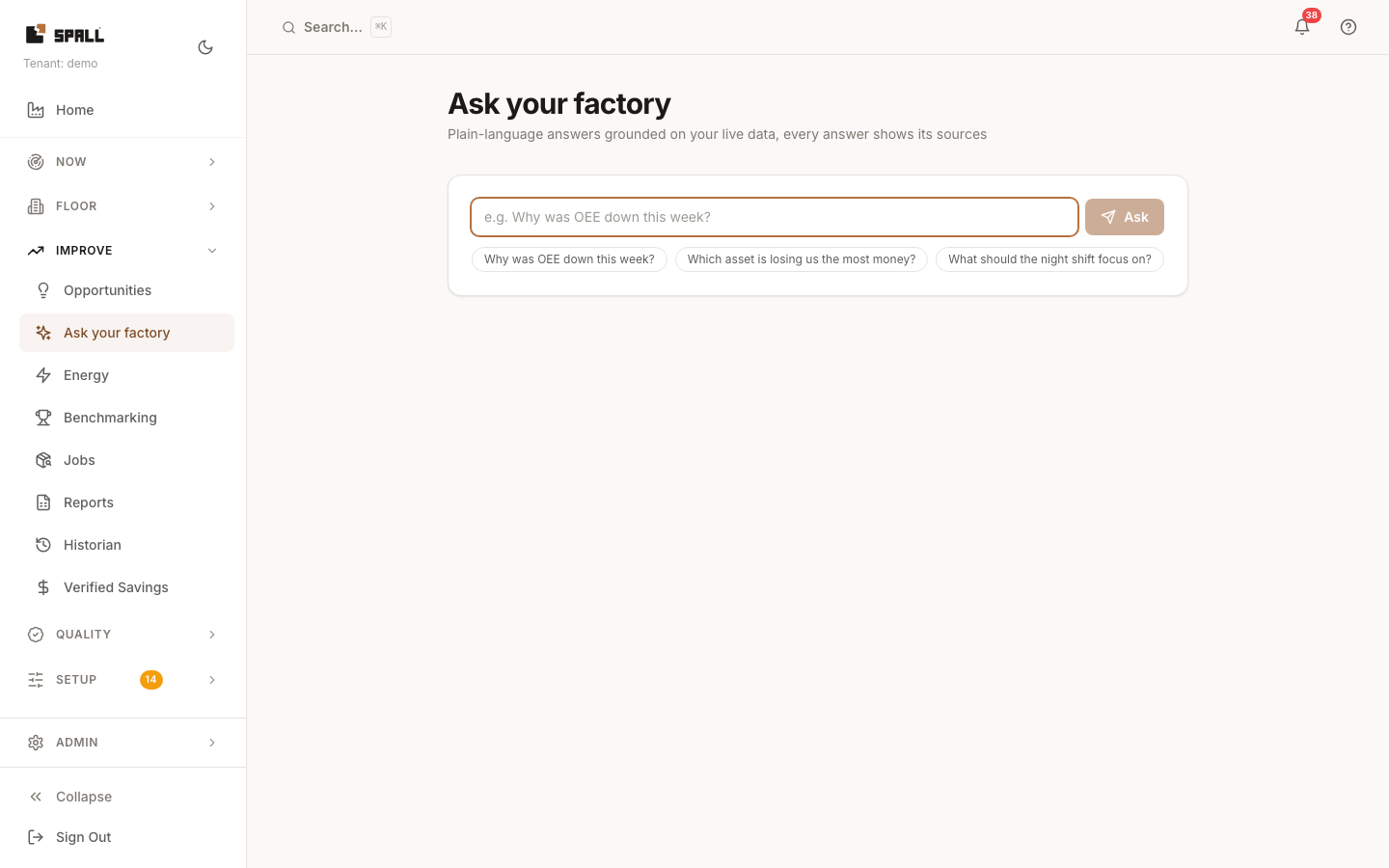
- Type your question in plain language, or click one of the suggested questions shown below the box,
real questions about this plant’s current state, not generic examples. Up to three come from what’s
already on the page: the top open alert, the top $ opportunity, and the busiest work-item kind, each
pointing at a record you can see right below it (a bucket with nothing in it is skipped). The full Ask
your factory page (
/ask) shows those same plant-specific suggestions, then up to three more general starting points after them. - Press Enter or click Ask.
- Read the answer, and check the sources listed alongside it, the answer is grounded in your real current data, and those sources are cited so you can verify it yourself instead of taking it on faith. A question that touches more than one topic (e.g. “what maintenance issues and alerts are open?”) can cite sources from more than one area at once. A comparative question, like day shift versus night shift or Press 1 versus its target, also shows a small table under the answer with a bar for each row, so you can compare the numbers at a glance.
- Click Ask a follow-up under the answer to keep going, a short question like “why?” or “and last week?” is understood in context, building on the question and answer before it. Earlier turns collapse to just their question, click one to open it back up and see its answer and sources again. Click New question to clear the conversation and start over. The full Ask your factory page keeps the whole conversation on screen, nothing is saved once you leave the page.
Notes
- If AI answers aren’t enabled for your tenant, the screen says so instead of inventing an answer, ask your admin to turn it on. The rest of Spall works without it.