How to monitor energy use and find idle power waste
Wiki: Improve concepts
When to use this
You have metered branches (energy sensors covering one or more machines) and want to see what they’re actually costing, attributed down to the machine, and find power being burned while stopped.
Steps
- Click Performance, then Energy (
/energy).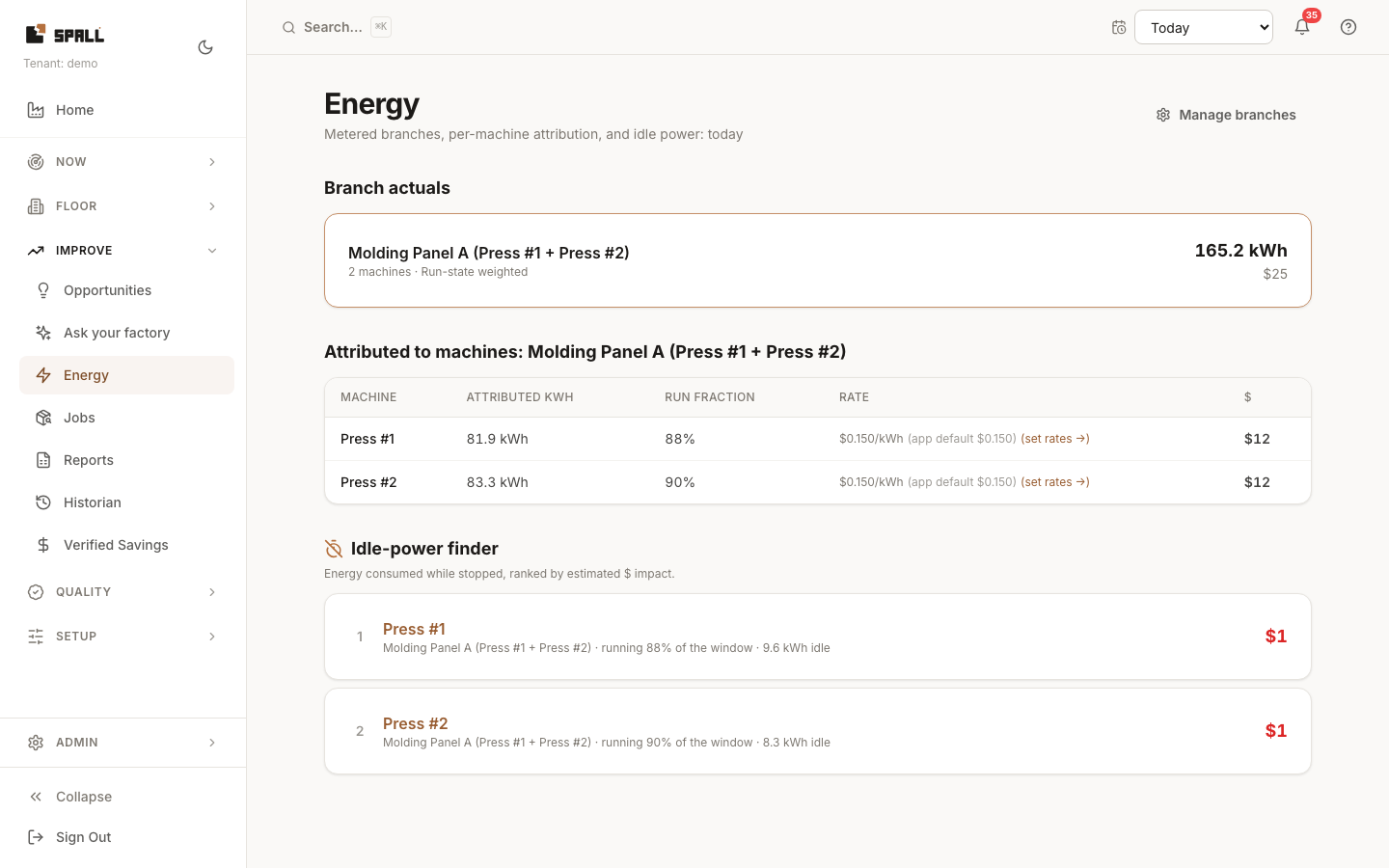
- Branch actuals shows each metered branch’s total kWh and $ for the window, run-state weighted.
- Attributed to machines splits a multi-machine branch’s energy down to each machine by its run fraction, using the energy rate set in Rates & Costing, “set rates →” jumps straight there if a machine is still on the app default.
- Idle-power finder ranks machines by kWh (and $) consumed while stopped, the fastest list of “which machine should we actually power down between jobs.”
- Click Manage branches to define or edit which energy tag(s) and machines make up a branch.