How to run tag discovery
Wiki: Setup, edge and devices, Tag Discovery
When to use this
You have candidate signals on a source you’re not sure are worth permanently configuring, and want the AI
layer to score them with evidence before you commit. This is an opt-in assist, not the default way to set
up a machine, for most machines, start with a template or a CSV import in the
Connect a Machine wizard instead, since a human approving an
exact tag list up front is more predictable than surveying broadly first. Discovery works for most protocols
with a real address space to explore, including OPC-UA, Allen-Bradley EtherNet/IP, and Modbus. It isn’t
offered for GPIO, Analog Input (ADC), CSV Folder Watch, or Simulation sources, each of those has a small,
fixed set of channels already fully documented (or no real device behind it at all), so there’s nothing left
for a survey to discover. You can reach it from inside the wizard’s “Discover tags”
step, or from this standalone page (/discovery) for a source that’s already connected.
Steps
- Open Tag Discovery (
/discovery), it doesn’t have its own nav entry. Reach it via Connect a Machine’s “Discover tags” step, or the Go to Connect a Machine link this page itself shows first (it steers you to templates/CSV import unless you already know you want a broad survey).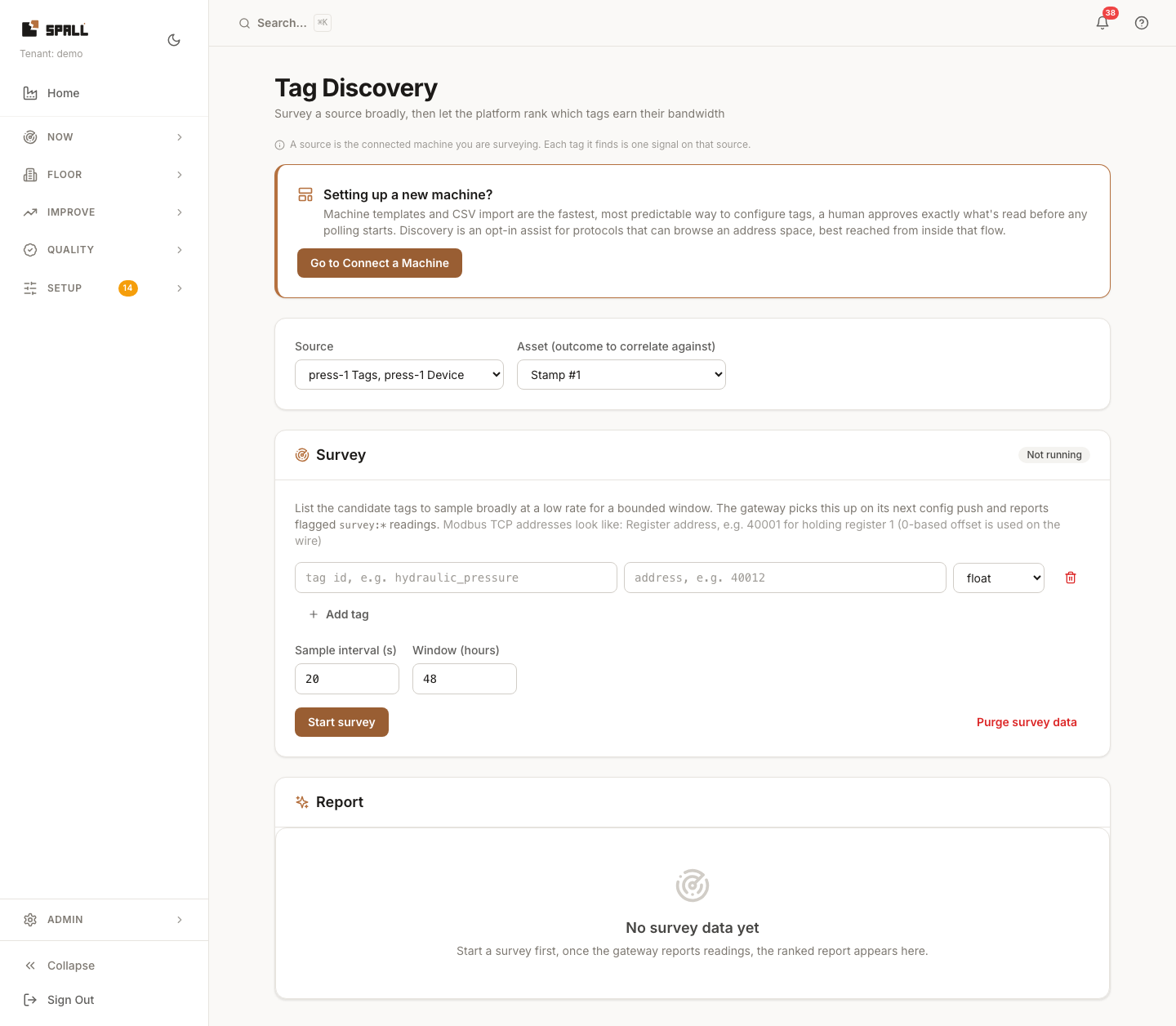
- Pick the source you want to survey (each option in the dropdown shows which gateway it’s on), then the asset to score candidates against, the report ranks tags by how well they align with that asset’s downtime history.
- Add candidate tag rows, each needs a tag id and an address (plus type). Add or remove rows as needed.
- Set the sample interval and survey window (how long/how often to sample the candidates).
- Run the survey, this writes the survey config onto the source (
PUT /api/v1/sources/{id}) and samples at low rate. It does not touch the source’s permanent tag config. - Review the AI scoring report: each candidate gets a keep / maybe / skip / abstain verdict, backed by per-tag evidence (liveliness, redundancy, outcome alignment).
- Promote the tags worth keeping, this is the only action that writes into the source’s permanent config. Scoring itself never mutates anything.
Notes
- The candidate tag-id/address fields show placeholder text only, so keep the field’s purpose in mind before you start typing, the hint disappears as soon as you do.