How to set plant rates and costing
Wiki: Setup concepts
When to use this
You want downtime, scrap, and energy numbers shown in dollars instead of just minutes/units/kWh, at whatever level of the plant hierarchy makes sense, a whole site, one area, or a single machine.
Steps
- Click Rates & costing on the Settings page (
/settings), or go straight to/rates-costing.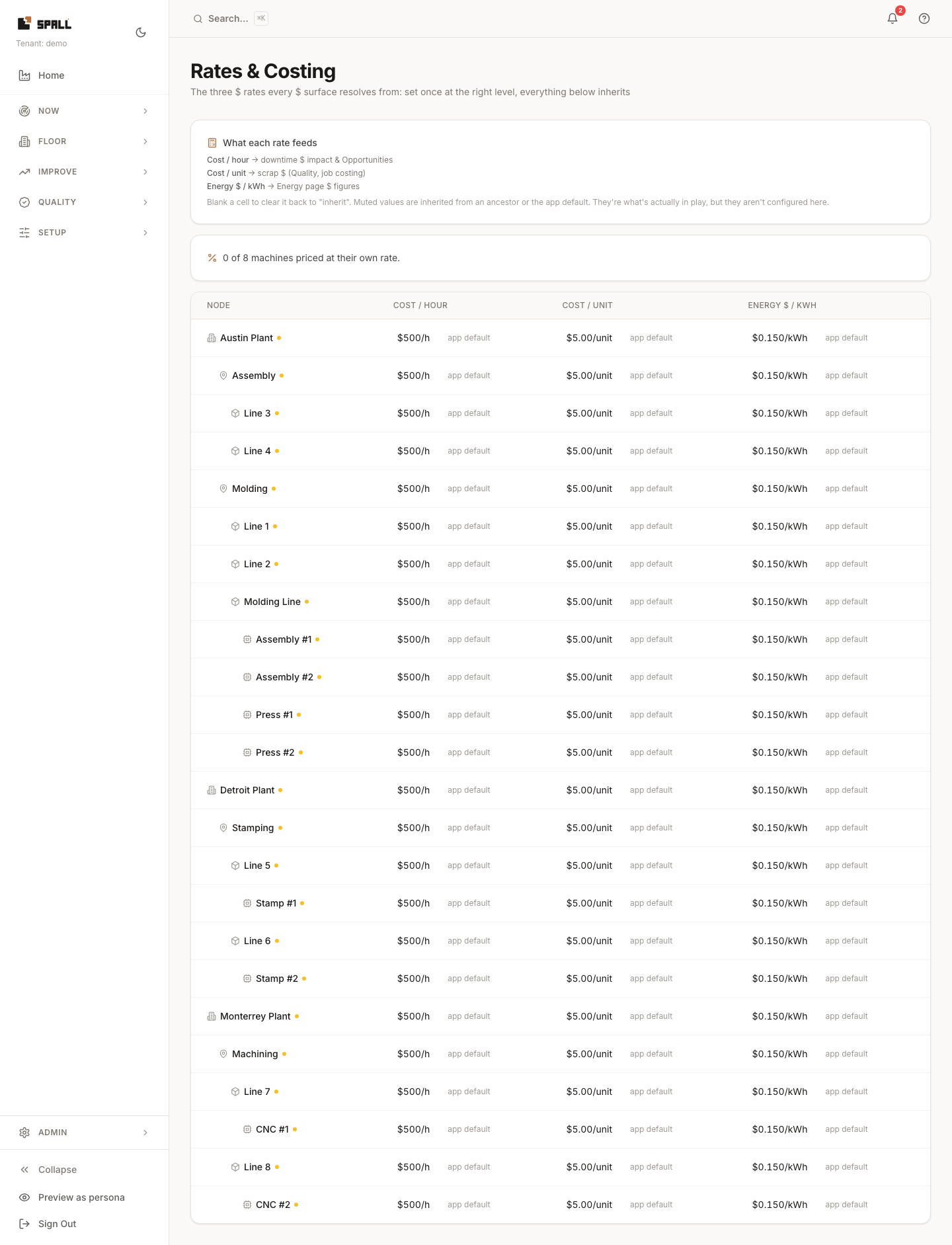
- A strip above the table shows how many machines are priced at their own rate, for example “3 of 5 machines priced at their own rate.” Once every machine is priced, it says “Every machine here is priced at its own rate.”
- The table lists every node in the plant hierarchy with three editable rates: Cost / hour (feeds downtime $ impact and Opportunities), Cost / unit (feeds scrap $ in Quality and job costing), and Energy $ / kWh (feeds Energy’s $ figures). Rows still priced at the app default sort to the top of the table with a small amber dot, so the ones that need a rate are the first thing you see.
- Set a rate at any node, everything below it inherits unless overridden further down. A muted value means it’s inherited from an ancestor or the app-wide default. It’s what’s actually in play, just not configured at that exact row.
- Blank a cell to clear an override and fall back to inheritance.