How to manage tags: mapped, derived, manual, and parameter signals
Wiki: Setup, edge and devices
When to use this
You want to see or edit every classified signal in the plant, what a raw reading means, in one place, regardless of where it came from: a gateway’s live poll, a computed formula, or a hand-entered value.
Steps
- Open Tags (
/tags), under Setup at the bottom of the sidebar, right after Sources.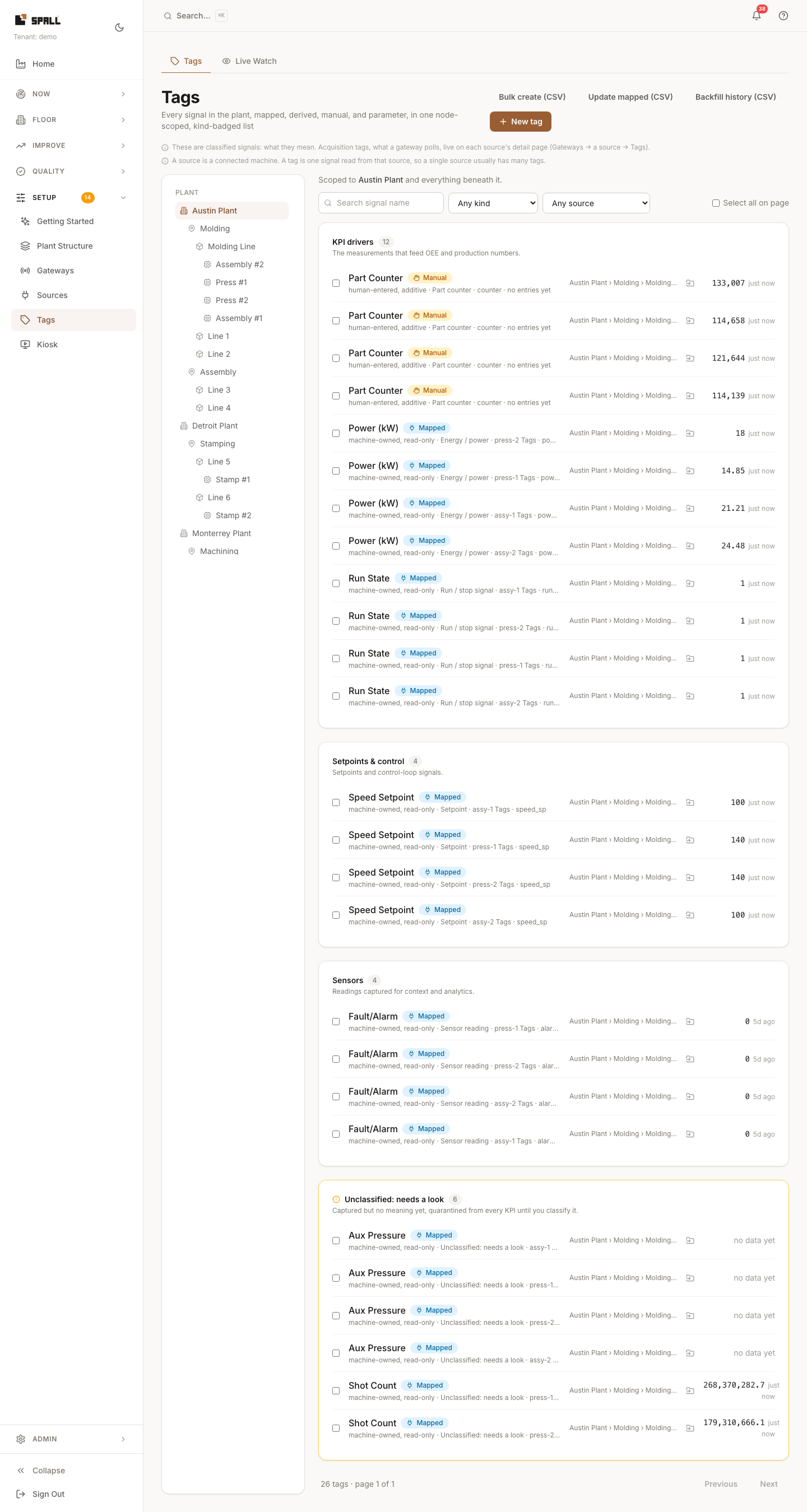
- Pick a node from the plant tree picker (site, area, work center, or machine), Tags is always scoped to a node, so you’re never scrolling a plant-wide list.
- Filter by kind: Mapped (comes straight off a gateway source), Derived (a formula over other tags, authored in the script editor), Manual (a human enters it), or Parameter. Each row carries a kind badge so you never have to guess.
- Create a tag with New tag, or go faster with the bulk actions: Bulk create (CSV), Update mapped (CSV), and Backfill history (CSV) for loading historical readings.
- Click any tag’s name to open its Measurement Detail hub (
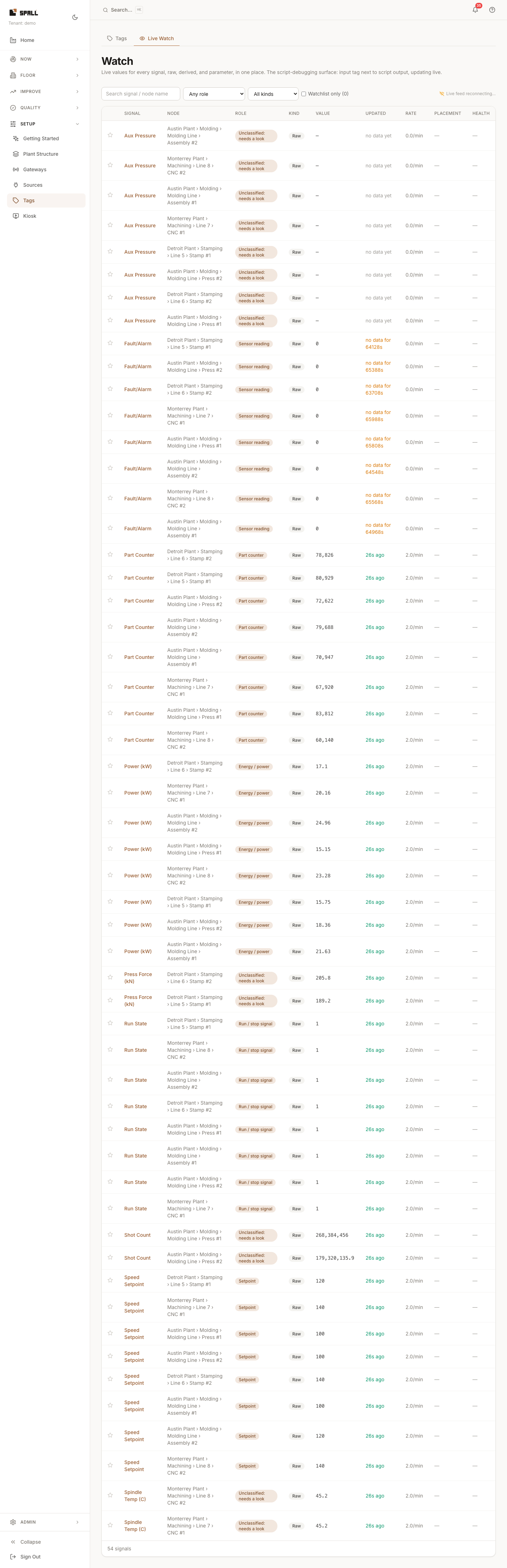
/measurements/:signalId), identity, source provenance, transform, the KPI/alarm rules that read it, history, and (for a derived tag) a link to its script and lineage. Move to machine there re-homes the tag onto a different machine without touching its history, see Already have the tags? for the full flow. - Switch to the Live Watch tab to see values update in real time as they arrive, instead of a static list, useful right after wiring a new signal, so you can confirm it’s actually flowing before leaving the page.
Notes
- Tags shows classified signals, what a value means. The raw acquisition tags a gateway is polling (before anyone has said what they mean) live on the source’s own detail page instead: Gateways → a gateway → Sources & tags tab → a source. See How to manage gateways: the gateway home.
- Mapped, Derived, Manual, and Parameter signals share one kind-filtered list.
- A derived tag’s create/edit surface is still its own full-page script editor (
/scripts/new,/scripts/:signalId), Tags links out to it instead of editing formulas inline. - Tag Discovery (
/discovery) is a separate, opt-in assist that samples candidate tag addresses you give it and ranks how worth keeping each one looks, reached from the Connect a machine flow when a live address browse isn’t available for the protocol, not from Tags directly. See How to run tag discovery.