How to plan and dispatch work
Wiki: Floor concepts
When to use this
You’re a planner deciding which job a work center runs next, and in what order: sequencing and dispatching work ahead of time, not a record of what already happened.
Steps
- Click Jobs, then Dispatch Board (
/dispatch), right before Production, planning precedes tracking.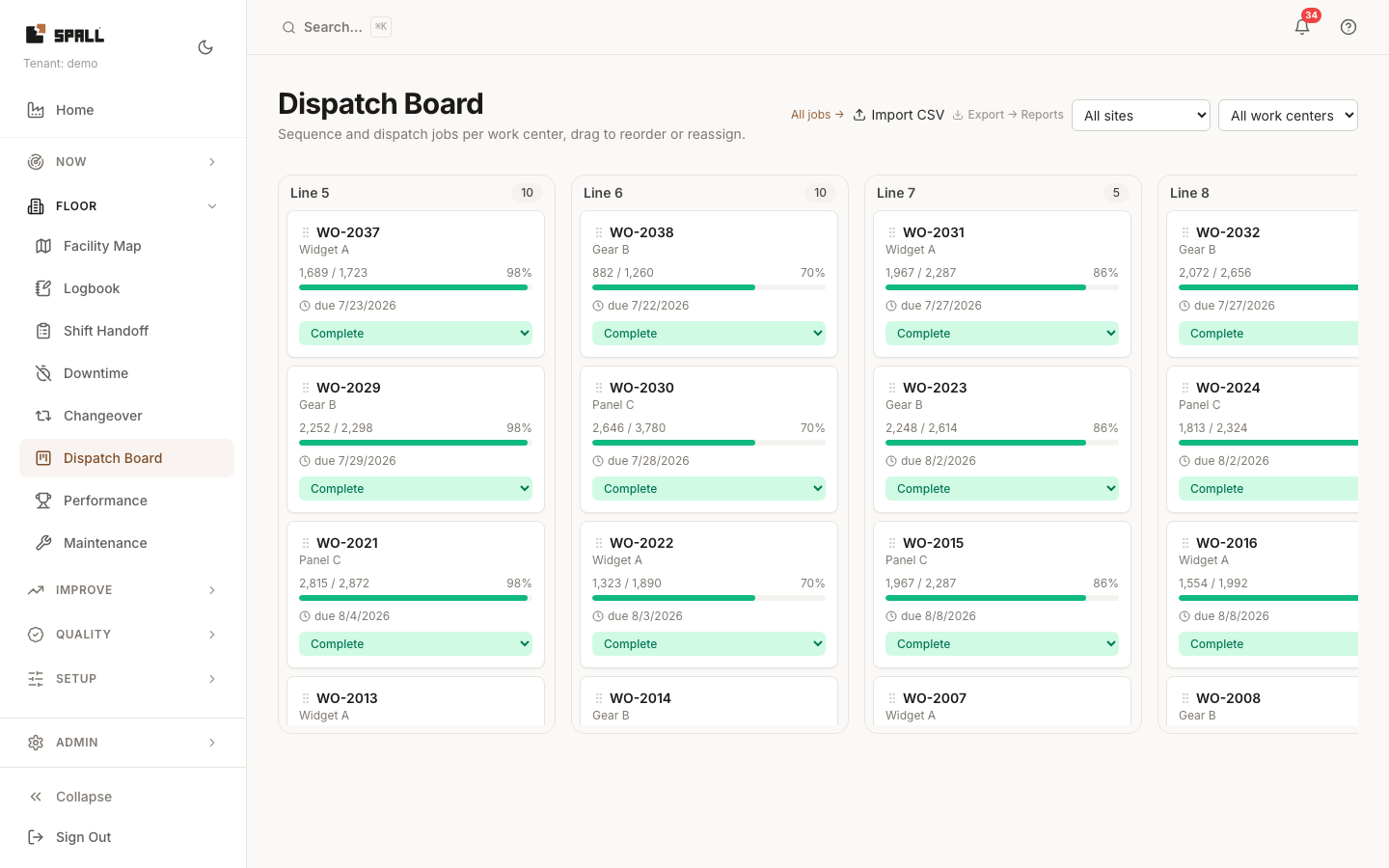
- Filter by site and work center. Each work center gets its own column, listing its queued jobs in sequence, product, progress, target, due date, and status.
- Drag to reorder a work center’s queue, or drag a job to a different work center to reassign it.
- A job at risk of missing its due date is flagged inline, right on its card.
- Change a job’s status directly from its card (Planned → Released → Running, etc.) without opening the full record.
- Import CSV for bulk sequencing changes. To get the board’s data out, click Export → Reports and run the Jobs / completions export in the Exports library (see How to export CSVs and compare shift performance), or click All jobs → to jump to the full Jobs list for anything Dispatch Board doesn’t show (completed and cancelled history, cross-site search).
Related
Each card separates observed machine state from job status. Running and Stopped describe a fresh machine signal. Unknown means the signal is missing or stale. A machine stop does not complete a job. Change the job status when the work itself changes.