How to create KPI and alarm rules
Wiki: Setup, KPI & Alarm Rules
When to use this
You want an alert to fire automatically when a KPI factor crosses a threshold, a measurement crosses a threshold, or an alarm code repeats too many times in a rolling window.
Steps
- Open KPI & Alarm Rules from the Settings page
(
/rules), or reach it from an Insights card as in step 5 below.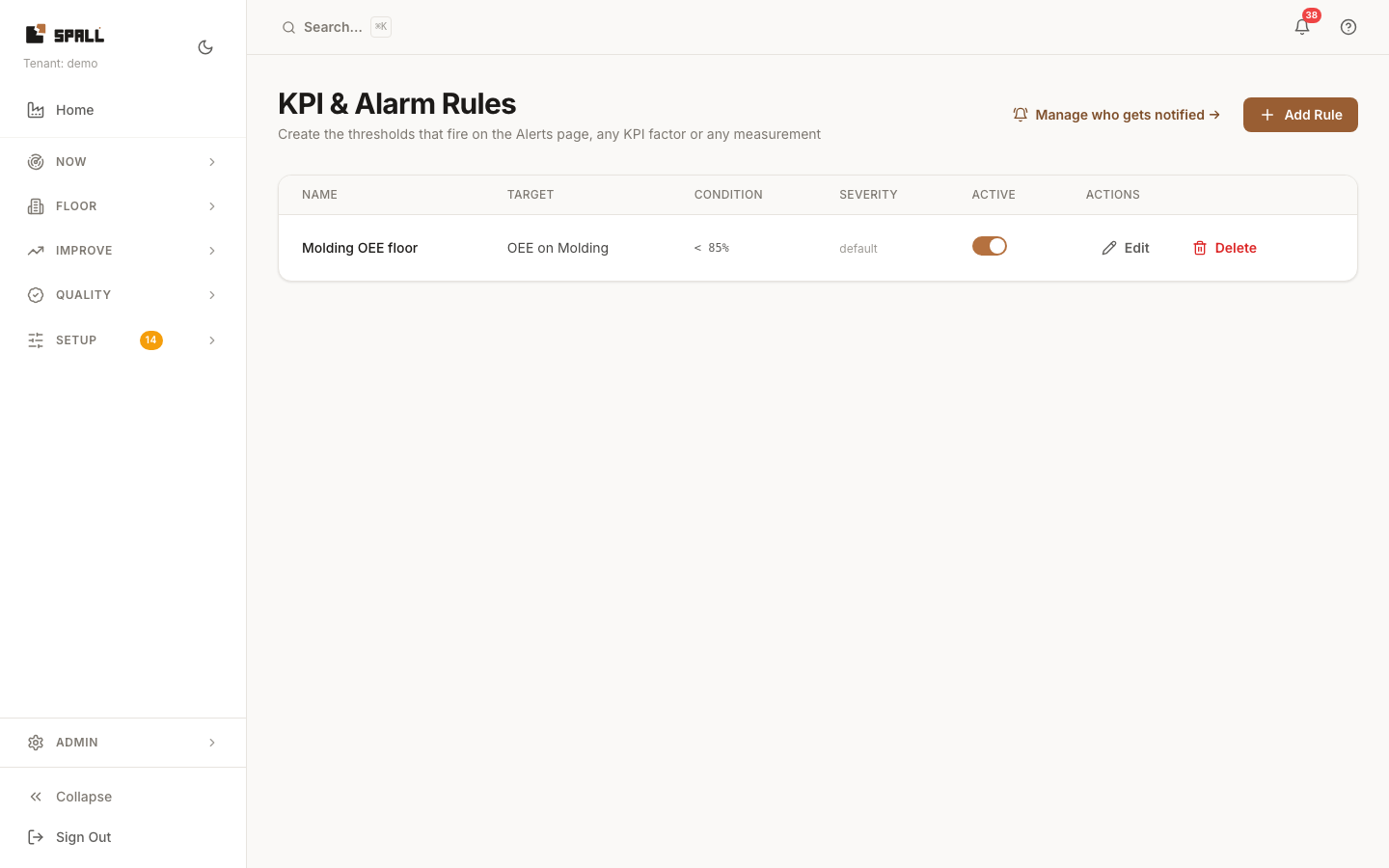
- Click Add Rule and pick what to watch:
- A KPI factor: OEE, availability, performance, quality, or scrap rate, at a site, area, work center, or machine. Pick the scope, is above or below, and the threshold.
- A measurement: any signal on the plant. Pick the measurement, is above or below, and the threshold, with an optional minimum duration so a brief spike does not fire.
- An alarm repeating: an alarm code, how many times it needs to occur, and the rolling window in minutes. Pick the scope (a machine, or a work center, area, or site to cover every machine under it) the same way a KPI factor rule does.
- Set the severity (info, warning, critical), and optionally a name shown as the alert’s title.
- Optionally set a Notify group to email a group’s members, Auto-raise to open an incident or repair work item when the rule fires, and Escalate after to override how soon an unactioned alert re-notifies its assignee. A KPI factor or measurement rule also has an Alert margin and Hold time so a value sitting right on the line does not flap the alert open and closed. An alarm-repeat rule does not need either, since an occurrence count only falls as history ages out of the window.
- From Opportunities (
/insights), a pattern the model has found sometimes offers a rule to create from it directly: “Create rule from this pattern” for a measurement threshold, or the pattern’s own wording (for example “alarm 1043 twice within 60 minutes”) for an alarm-repeat trigger. Either one opens Add Rule with everything filled in except, for an alarm-repeat trigger, the scope: an alarm code is not tied to one machine the way a measurement is, so pick the scope before saving. - Fired rules appear on Alerts, not on this page. This page is authoring only.
Notes
- Editing an existing rule can change its condition, severity, and routing, but not what it watches or its scope, so a rule keeps one meaning for its whole life.
- KPI & Alarm Rules decides what fires. Notification preferences decides who hears about it.